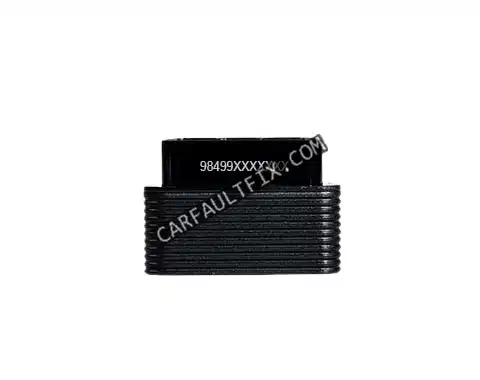
DiagZone, XDiag, HaynesPro and XPro5 Diagnostic Software Subscriptions
Modern vehicles are more computerized, interconnected and software-dependent than ever.
Basic code readers often cannot access important control modules, ECU coding functions,
live data, bi-directional testing or full-system diagnostics.
This guide compares professional diagnostic solutions, including
Diagzone Pro, XDiag, XPro5,
ThinkDiag 2 and Launch X431. It also explains important
functions such as ECU coding, J2534 pass-through, bi-directional testing and
manufacturer-specific diagnostics.
Why Basic OBD2 Code Readers Are Often Not Enough
Entry-level OBD2 scanners generally focus on generic engine fault codes. Depending on the
vehicle and software, they may not access important systems such as:
- Anti-lock Braking System (ABS)
- Supplemental Restraint System (SRS)
- Body Control Module (BCM)
- Transmission control modules
- Advanced Driver Assistance Systems (ADAS)
- Immobilizer and key-related systems
Professional workshops may also require the ability to perform:
- Full-system diagnostics
- Bi-directional actuator tests
- Live-data monitoring and graphing
- Service resets and special functions
- ECU coding and module adaptations
- Multi-brand vehicle diagnostics
The availability of these functions depends on the vehicle, model year, diagnostic adapter,
software version and active subscription.
What to Look for in Professional Diagnostic Software
1. Vehicle and System Coverage
A long vehicle-brand list does not always mean deep coverage. Check whether the software
supports the systems and functions required for the vehicles your workshop services,
including ABS, SRS, transmission, body electronics, security systems and ADAS-related
functions.
2. Full-System Access
Full-system access may allow you to read and clear fault codes, view live data, perform
system tests and complete adaptations. The available functions can vary between brands
and vehicle models.
3. Bi-Directional Testing
Bi-directional control allows the diagnostic tool to send commands to supported vehicle
components. Examples may include activating cooling fans, testing solenoids or cycling
specific actuators.
4. ECU Coding and Programming
- ECU coding
-
Adjusts configuration parameters after a module replacement, retrofit or feature change.
- ECU programming
-
Writes or updates firmware in a control unit. This function may require manufacturer
authorization, a stable power supply and additional equipment.
Coding and programming are different functions. Always confirm the exact support available
for the vehicle before starting a module update or configuration procedure.
5. Updates, Licensing and Compatibility
Before purchasing a subscription, review the update schedule, renewal price, supported
adapters, operating-system requirements and vehicle coverage. An adapter or dongle can
also affect communication stability and diagnostic speed.
Professional Diagnostic Tools Compared
General comparison of selected diagnostic platforms
| Tool |
Full-system diagnostics |
ECU coding |
Bi-directional testing |
Typical use |
| Diagzone Pro |
Available for supported vehicles |
Vehicle-dependent |
Vehicle-dependent |
Advanced multi-brand diagnostics |
| XDiag Pro3 |
Available for supported vehicles |
Vehicle-dependent |
Vehicle-dependent |
Multi-brand scanning and service functions |
| XPro5 |
Available for supported vehicles |
Vehicle-dependent |
Vehicle-dependent |
General workshop diagnostics |
| ThinkDiag 2 |
Software-dependent |
Software- and vehicle-dependent |
Software- and vehicle-dependent |
Portable diagnostics and service functions |
| Launch X431 |
Available for supported vehicles |
Vehicle-dependent |
Vehicle-dependent |
Professional workshop diagnostics |
The features shown above are general descriptions, not guaranteed specifications.
Confirm compatibility with the exact vehicle, model year, adapter and software subscription
before purchasing.
Diagzone Pro
Diagzone Pro is intended for users who need multi-brand diagnostics and access to advanced
functions on supported vehicles. Depending on the vehicle and subscription, features may
include:
- Full-system fault-code diagnostics
- Live-data monitoring and graphing
- Service resets and adaptations
- ECU coding and configuration functions
- Bi-directional tests on supported systems
It may be suitable for independent workshops that regularly work on multiple vehicle brands.
Always verify the supported functions for the specific vehicle before making a purchase.
XDiag Pro3
XDiag Pro3 is designed for multi-brand scanning, fault-code analysis and workshop service
functions. Its practical use depends on the supported vehicle coverage and the selected
software package.
- Multi-brand vehicle scanning
- System fault-code reading and clearing
- Live-data monitoring
- Service functions and resets
- Selected coding and configuration functions
XPro5
XPro5 is a multi-brand diagnostic solution for workshops and mobile mechanics. It can be
considered by users looking for a balance between diagnostic coverage, portability and
service functions.
- Supported-system diagnostics
- Live-data monitoring
- Service functions and adaptations
- Selected ECU coding functions
- Bi-directional tests on compatible vehicles
ThinkDiag 2
ThinkDiag 2 is a compact diagnostic adapter that works with compatible software and
subscription services. Available functions depend on the selected software package,
vehicle and operating system.
- System fault-code diagnostics
- Live-data monitoring
- Service resets
- Selected special functions
- Vehicle-dependent coding and actuator tests
Launch X431
Launch X431 products are used in many professional workshop environments. Different X431
models have different hardware, subscriptions and capabilities, so users should compare the
exact model before purchasing.
- Multi-brand system diagnostics
- Service resets and special functions
- Selected ECU coding and adaptations
- Bi-directional testing on supported vehicles
- Optional functions depending on the product and subscription
How to Choose the Right Diagnostic Tool
The best choice depends on your vehicle coverage requirements, budget, preferred hardware
and the functions you use most frequently.
-
For advanced multi-brand work:
consider platforms that provide the required system coverage and coding functions for your
customers' vehicles.
-
For fast workshop scanning:
prioritize stable communication, quick vehicle identification and efficient reports.
-
For mobile mechanics:
consider portability, battery life, wireless connection stability and subscription cost.
-
For ECU programming:
verify manufacturer support, programming authorization, compatible hardware and power-supply
requirements before beginning the procedure.
Frequently Asked Questions
Can I use a basic OBD2 scanner on a modern vehicle?
Yes, for supported generic engine-related emissions codes. However, a basic scanner may
not access systems such as ABS, SRS, transmission, BCM or ADAS.
Do I need ECU coding for every repair?
No. ECU coding is usually required only for certain module replacements, retrofits,
configuration changes and feature activations. The exact requirement depends on the vehicle.
Which tool is suitable for a high-volume workshop?
A suitable tool should provide stable communication, fast scanning, broad vehicle coverage
and the specific service functions your workshop uses. Compare the exact software version
and subscription rather than relying only on the product name.
Are laptop-based diagnostic tools better than tablet-based tools?
Not necessarily. Laptop-based systems may offer specialized functions, while tablet-based
tools are often more portable. The better option depends on the vehicle coverage and
functions required.
How often should diagnostic software be updated?
Update frequency depends on the manufacturer and subscription plan. Check the provider's
update policy and renew the software when new vehicle coverage or required functions become
available.
Final Recommendation
Diagzone Pro, XDiag Pro3, XPro5, ThinkDiag 2 and Launch X431 can serve different workshop
requirements. The most important factors are vehicle coverage, supported diagnostic
functions, adapter compatibility, update policy and total subscription cost.
Before purchasing, check compatibility with the exact makes, models and model years that
your workshop services. For ECU coding or programming, use a stable power supply and follow
the manufacturer's procedure.
Further Reading