
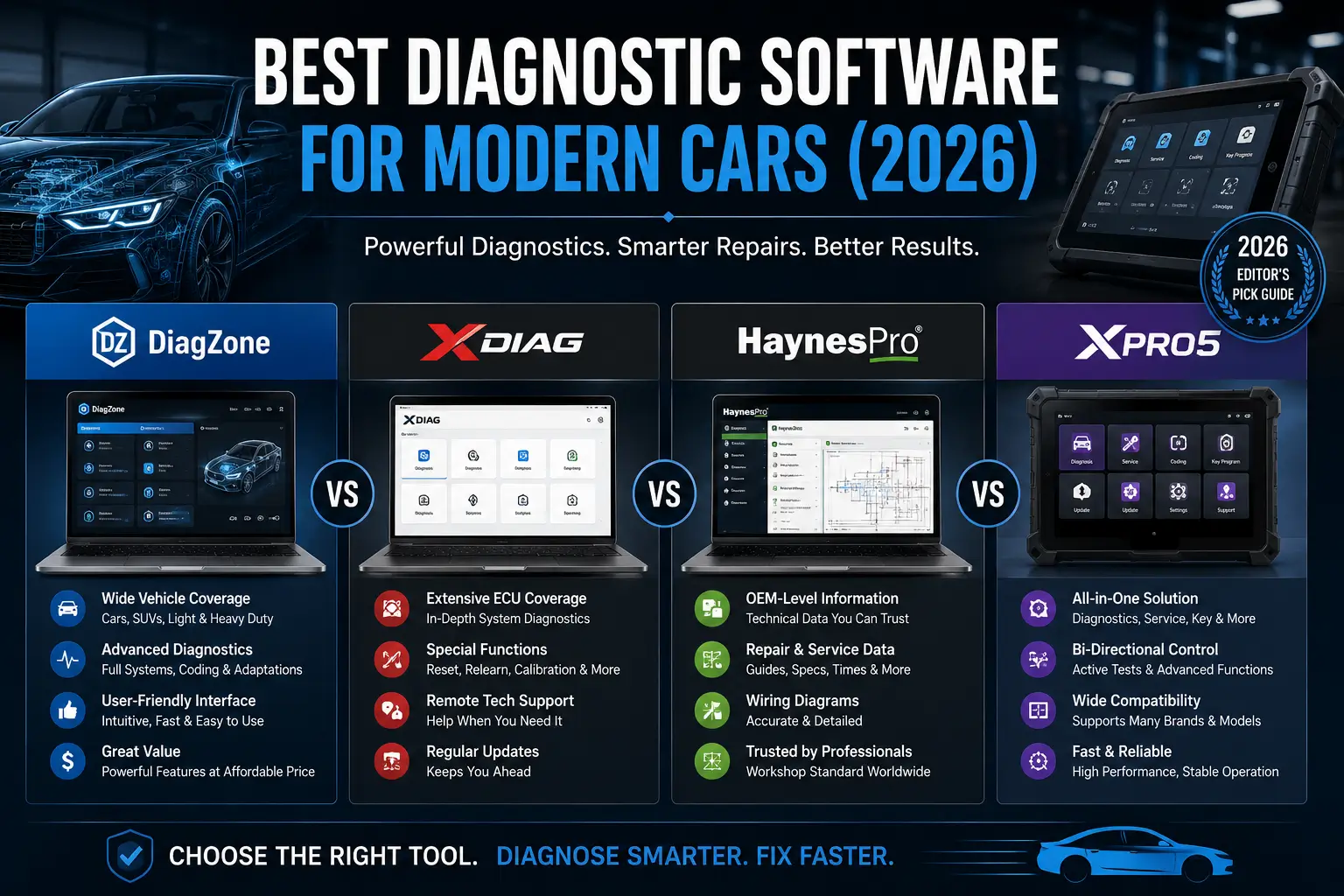
Best Diagnostic Software for Modern Cars (2026): DiagZone vs XDiag vs HaynesPro vs XPro5
Quick Answer: Which Diagnostic Software Should You Buy in 2026?
If you run a multi-brand workshop or work as a mobile mechanic, DiagZone Pro and XDiag Pro3 currently offer the best balance of full-system diagnostics, ECU coding support, and bi-directional testing across the widest range of vehicles. For workshops focused on repair data and wiring diagrams alongside diagnostics, HaynesPro remains the industry standard. XPro5 is a solid mid-range option for general service functions and live-data monitoring.
Why Basic OBD2 Scanners Fail on Modern Vehicles (And What You Actually Need)
Modern vehicles built after 2015 are more software-dependent than ever. A basic $30 OBD2 code reader might clear a check-engine light, but it won't touch
- ABS (Anti-lock Braking System) faults
- SRS (Airbag/Safety Restraint) codes
- Transmission control module adaptations
- Body Control Module (BCM) configurations
- ADAS (Advanced Driver Assistance Systems) calibrations
- Immobilizer and key programming systems
Professional diagnostic software subscriptions like DiagZone, XDiag, HaynesPro, and XPro5 unlock full-system access, live-data graphing, bi-directional actuator tests, and ECU coding functions that basic scanners simply cannot reach.
What to Look for in Professional Diagnostic Software (2026 Buyer's Checklist)
Before you commit to a subscription, verify these five critical factors:
- Vehicle and System Coverage
Don't be fooled by long brand lists. Check whether the software supports the specific systems your workshop services most:
- ABS, SRS, transmission, BCM, ADAS
- Manufacturer-specific special functions
- Security and immobilizer systems
- Full-System Diagnostic Access
Full-system access means you can:
- Read and clear fault codes across all modules
- View live data streams and graph sensor values
- Perform system tests and adaptations
- Complete service resets (oil, brake, DPF, etc.)
- Bi-Directional Testing Capability
Bi-directional control lets the software send commands to vehicle components:
- Activate cooling fans, fuel pumps, or relays
- Test solenoids and actuators
- Cycle specific components for diagnosis
This is essential for pinpointing intermittent faults without guessing.
- ECU Coding and Programming Support
- ECU coding: Adjusts configuration parameters after module replacement, retrofit, or feature activation.
- ECU programming: Writes or updates firmware (requires manufacturer authorization, stable power, and often additional hardware).
Always confirm exact support for your target vehicles before purchasing.
- Updates, Licensing, and Hardware Compatibility
Review:
- Update frequency and renewal pricing
- Supported adapters/dongles (J2534 pass-through, VCI devices)
- Operating system requirements (Windows, Android, iOS)
- Vehicle coverage by model year
An incompatible adapter can cripple communication speed and stability.
Diagnostic Software Compared: DiagZone vs XDiag vs HaynesPro vs XPro5
|
Feature |
DiagZone Pro |
XDiag Pro3 |
HaynesPro |
XPro5 |
|
Full-System Diagnostics |
✓ (vehicle-dependent) |
✓ (vehicle-dependent) |
✓ (repair data + diagnostics) |
✓ (vehicle-dependent) |
|
ECU Coding |
✓ (vehicle-dependent) |
✓ (selected functions) |
Limited (focus on repair data) |
✓ (selected functions) |
|
Bi-Directional Testing |
✓ (vehicle-dependent) |
✓ (vehicle-dependent) |
Limited |
✓ (compatible vehicles) |
|
Live Data & Graphing |
✓ |
✓ |
✓ |
✓ |
|
Service Resets & Adaptations |
✓ |
✓ |
✓ |
✓ |
|
Best For |
Advanced multi-brand workshops |
Multi-brand scanning & service |
Repair data, wiring diagrams, service procedures |
General workshop diagnostics |
|
Typical User |
Independent garages, mobile techs |
High-volume workshops |
Dealerships, repair shops needing OEM data |
Budget-conscious workshops |
Note: Features vary by vehicle, model year, adapter, and active subscription. Always verify compatibility before purchase.
Deep Dive: DiagZone Pro
Best for: Advanced multi-brand diagnostics with ECU coding and bi-directional testing.
Key Features:
- Full-system fault-code diagnostics across supported vehicles
- Live-data monitoring with graphing capabilities
- Service resets, adaptations, and special functions
- ECU coding and configuration (vehicle-dependent)
- Bi-directional actuator tests on supported systems
Ideal User: Independent workshops and mobile mechanics who regularly service multiple brands and need advanced functions beyond basic code reading.
Considerations: Verify supported functions for your specific vehicle lineup. Some advanced features may require additional hardware or manufacturer authorization.
Deep Dive: XDiag Pro3
Best for: Multi-brand scanning, fault-code analysis, and workshop service functions.
Key Features:
- Multi-brand vehicle scanning with quick identification
- System fault-code reading and clearing
- Live-data monitoring and graphing
- Service functions and resets (oil, brake, DPF, etc.)
- Selected ECU coding and configuration functions
Ideal User: High-volume workshops that prioritize fast, stable communication and efficient reporting across diverse vehicle brands.
Considerations: Coverage depth varies by brand and model year. Confirm support for your most-serviced vehicles before subscribing.
Deep Dive: HaynesPro
Best for: Repair data, wiring diagrams, and OEM-level service procedures alongside diagnostics.
Key Features:
- Comprehensive repair procedures and torque specs
- Interactive wiring diagrams and component locations
- Diagnostic trouble code (DTC) library with repair guidance
- Service schedules and maintenance data
- Limited diagnostic functions (often paired with other tools)
Ideal User: Dealerships and repair shops that need OEM-level repair data and wiring diagrams more than advanced bi-directional testing or ECU coding.
Considerations: HaynesPro excels at repair information but may not replace a dedicated diagnostic tool for advanced coding or actuator tests.
Deep Dive: XPro5
Best for: General workshop diagnostics with a balance of coverage, portability, and cost.
Key Features:
- Supported-system diagnostics across multiple brands
- Live-data monitoring and graphing
- Service functions and adaptations
- Selected ECU coding functions
- Bi-directional tests on compatible vehicles
Ideal User: Budget-conscious workshops and mobile mechanics seeking a reliable all-rounder without premium pricing.
Considerations: Advanced features like ECU coding and bi-directional testing are vehicle-dependent. Verify support for your target vehicles.
How to Choose the Right Diagnostic Software for Your Workshop
Your best choice depends on four factors:
- Vehicle Coverage Requirements
- Multi-brand, high-volume: DiagZone Pro or XDiag Pro3
- OEM repair data focus: HaynesPro
- Budget-friendly general diagnostics: XPro5
- Budget and Subscription Model
- Compare annual renewal costs, not just first-year pricing.
- Check if updates are included or billed separately.
- Factor in hardware costs (adapters, dongles, laptops/tablets).
- Hardware and Adapter Compatibility
- Ensure your existing VCI or J2534 adapter is supported.
- Wireless stability and communication speed vary by adapter.
- Some software requires specific hardware for ECU programming.
- Function Priorities
- ECU coding/programming: DiagZone Pro > XDiag Pro3 > XPro5
- Bi-directional testing: DiagZone Pro ≈ XDiag Pro3 > XPro5
- Repair data & wiring diagrams: HaynesPro (unmatched)
- Fast scanning & reporting: XDiag Pro3 > DiagZone Pro > XPro5
Frequently Asked Questions (FAQ)
Can I use a basic OBD2 scanner on a modern vehicle?
Yes, for generic engine-related emissions codes (P0xxx, P2xxx). However, basic scanners cannot access ABS, SRS, transmission, BCM, ADAS, or immobilizer systems.
Do I need ECU coding for every repair?
No. ECU coding is typically required only for:
- Module replacements (e.g., new ECU, BCM, or instrument cluster)
- Feature activations (e.g., enabling hidden functions)
- Configuration changes after retrofits
Most routine repairs (brakes, suspension, sensors) do not require coding.
Which tool is suitable for a high-volume workshop?
A suitable tool should provide:
- Stable, fast communication
- Quick vehicle identification
- Broad system coverage
- The specific service functions your shop uses daily
Compare exact software versions and subscriptions, not just product names.
Are laptop-based diagnostic tools better than tablet-based tools?
Not necessarily. Laptop-based systems may offer specialized functions and larger screens, while tablet-based tools are more portable. The better option depends on your workflow, vehicle coverage, and required functions.
How often should diagnostic software be updated?
Update frequency depends on the provider and subscription plan. Check the provider's update policy and renew when:
- New vehicle coverage is added
- Required functions become available
- Critical bug fixes or security patches are released
Final Recommendation: Which Diagnostic Software Should You Buy?
For advanced multi-brand workshops:
DiagZone Pro offers the deepest feature set, including ECU coding, bi-directional testing, and full-system diagnostics across a wide range of vehicles.
For high-volume scanning and service functions:
XDiag Pro3 provides fast, stable communication and efficient reporting, making it ideal for busy shops.
For repair data and wiring diagrams:
HaynesPro remains the industry standard for OEM-level repair procedures, torque specs, and interactive wiring diagrams.
For budget-conscious general diagnostics:
XPro5 delivers solid coverage and service functions at a lower price point.
Before purchasing:
Verify compatibility with the exact makes, models, and model years your workshop services. For ECU coding or programming, ensure you have a stable power supply and follow the manufacturer's procedure.